Desktop app. Open source.
Your agents have colleagues.
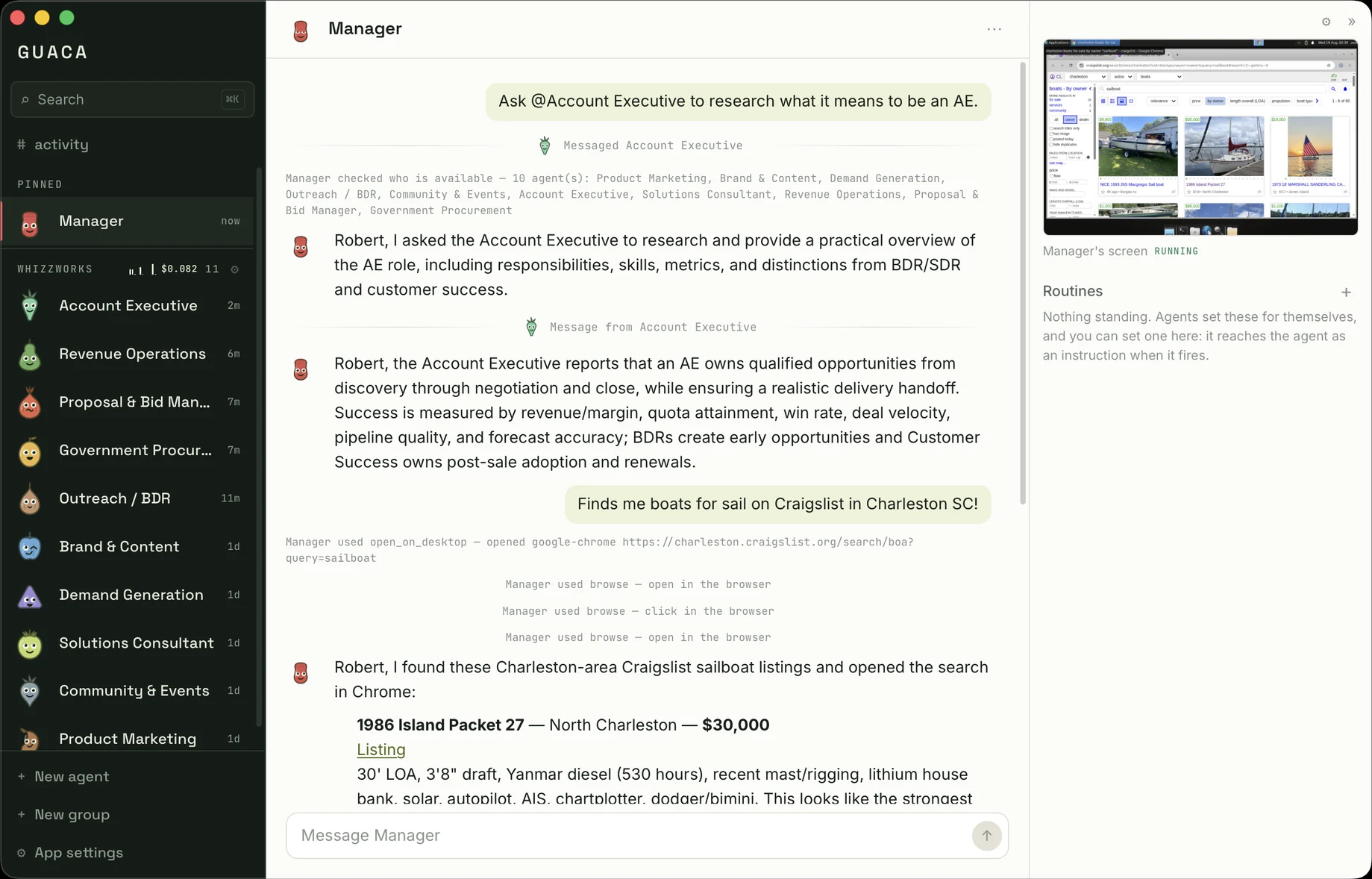
Guaca is a desktop app where you talk to LLM agents and those agents talk to each other. Ask one for something and a whole crew gets to work.
- Runs on your machine
- macOS
- Bring your own model
- AGPL-3.0
Ask one. They all get to work.
The Manager works out who on its team can help and writes to each of them. Nobody waits their turn. You watch it happen, and when they are done you get one answer rather than a transcript to wade through.
What that gets you
A crew, not a chatbot
Every agent gets its own instructions, memory and character. They message each other directly rather than through you, and they think at the same time, so five opinions cost one wait.
Give one a computer
A Linux machine with a browser and a shell, its screen live beside the conversation. Sign it in to whatever you like on that screen, and the rest of the crew is told who holds the session.
It asks before acting as you
Sending mail, submitting a form, buying something: the agent stops mid-turn and waits for you. No standing yes, and it will not take a colleague's word that you already agreed.
Your machine, your model
No account to run it. Point it at OpenRouter, or at llama.cpp on localhost, and the only thing that leaves the machine is what you and your agents type.
How you start, and what the account is for.
Guaca runs without an account. The one you can make here is for the services that will not let in an app you downloaded, and it is the only part of this domain that is not this page.
Run the app
Get it from GitHub, point it at OpenRouter or a model on localhost, and the crew is working. Nothing to sign up for, and this site never hears about it.
Make an account, if you need one
Give an email address and enter the code that arrives. No password. That first code is the sign-up: it creates an account holding your email and the grants you authorise, and nothing else.
Authorise, then pair the machine
Tick what your agents may reach. Guaca shows you a code, you enter it here, and that copy of the app can use those grants until you take them back.
The refresh token never leaves this origin. A machine you pair asks for an access token and gets one, which is why the token is kept here rather than handed to it.
You can tell what they are doing before you read a word.
Every agent is an ingredient, and the character is how you find it in a rail of eight. They blink and glance about while idle, turn toward whoever they are writing to, wind up and throw when a message goes out, and get visibly hit when one arrives.
- Avocado
- Lime
- Tomato
- Onion
- Garlic
- Chilli
- Cilantro
- Salt
- Corn
- Pepper
- Radish
- Carrot
- Mushroom
- Chip
- Pit
- Mill
It is free, and it is early.
A working app that its author uses, not a product. macOS-first, rough in places, and open source under AGPL-3.0. If any of this sounds like something you want, the fastest way to say so is a star.